
Build with Zapier, make, or Flowq api

Automate Your 3D Printing Workflow

Build custom workflows with all your tools to help you automate & control your 3D printers.

Start Building Workflows

Create a FlowQ Account

Automate Repetitive Work

Stop manually adding prints to the queue, checking filament inventory, & monitoring prints.

Connect Tools You Already Use

FlowQ doesn’t replace your existing tools — it connects to them. 8,000+ app connections are possible via Zapier, Make & the FlowQ API.

Build Workflows You Actually Need

Every print farm is different. Create custom workflows that match your operations.

Blue upward arrow icon

Scale Without Adding Complexity

Integrations let FlowQ scale with your business by removing bottlenecks instead of adding more steps.


Example Workflows for 3D Printing Businesses

Turn repetitive 3D printing tasks into automated workflows.

Built with Zapier

Add Print Files to Queue when a Shopify Order is Placed

  1. New Shopify Order is Placed.
  2. Look up what print file's are needed for each SKU in a Google sheet.
  3. Add the files to the Print Queue with the correct number of repetitions based on order quantity.
  4. Repeat the process for each item in the order.

Built with Make

Add Print Files to Queue when a QR Code is Scanned

  1. A QR code is scanned and the link is visited.
  2. The webhook receives metadata such as the print file ID and number of iterations.
  3. FlowQ adds the specified print file to the queue.
  4. A response confirms whether the print was successfully queued or returns an error.

Built with zapier

Sync Filament inventory to Google Sheet

  1. Workflow repeats daily.
  2. Filament inventory data is pulled from FlowQ.
  3. A Google Sheet is updated to reflect current stock.

Build Automated Workflows with FlowQ

No-code, low-code, or fully custom — your choice

Zapier is a no-code automation tool that integrates FlowQ with 7,000+ apps such as Shopify, eBay, and Google sheets to automate 3D print queues and workflows

See FlowQ app for Zapier

Make is a no-code automation platform connecting FlowQ to over 3,000 apps including Etsy, WooCommerce, Google Sheets, and AI tools for automated 3D print workflows.

See FlowQ app for Make

FlowQ’s Open API provides direct access to print queues, printer status, print files, and filament inventory for custom automation and integrations.

See API Docs

Frequently Asked Questions

Answers to some of our most common questions.

Can I use FlowQ integrations with Shopify, Etsy, or WooCommerce?

Yes.

Using Make or Zapier, FlowQ can be connected to ecommerce platforms like Shopify, Etsy, WooCommerce, and others to automatically trigger print workflows from new orders or updates or inventory level changes.

Can I use FlowQ with Shopify Flow?

Yes.

FlowQ can be integrated with Shopify Flow by using the FlowQ Open API together with HTTP request actions in Shopify Flow.

This allows you to automate actions based on Shopify events such as:

  • New orders
  • Order line items
  • Inventory changes
  • Fulfillment updates
  • Custom Shopify workflows

For example, you can automatically enqueue print jobs in FlowQ when an order is placed or updated.


Important note about Shopify plans:

Sending HTTP requests directly from Shopify Flow is limited by Shopify plan level. On plans where HTTP requests are not available, third-party Shopify apps can be used to send HTTP requests from Flow, allowing FlowQ automations to work on the Shopify Basic plan as well.


This makes it possible to build FlowQ-powered print automations on nearly any Shopify setup.

Can I trigger workflows using QR codes?

Yes.

Tools like Make and Zapier support webhook-based workflows, which means actions can be triggered when a specific URL is accessed.

This allows QR codes to be used as triggers. When a QR code is scanned and the associated link is opened, the webhook can start a workflow that performs actions such as adding a print to the queue, selecting a print file, or running other automated steps.

This makes QR codes useful for fast, repeatable workflows on the shop floor, where scanning a code can immediately trigger the correct automation.

Can I build my own custom integration?

Absolutely.

If Make or Zapier don’t fit your needs, the Open API allows you to build custom applications, internal dashboards, or fully custom automation systems around FlowQ.

Do integrations replace FlowQ’s dashboard?

No.

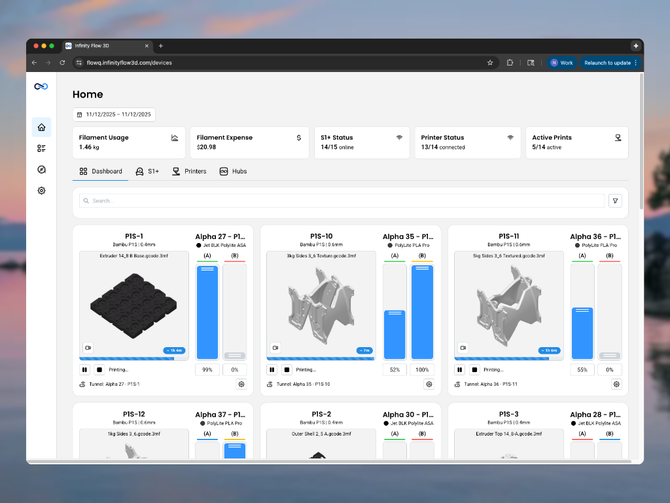
Integrations extend FlowQ — they don’t replace it. The FlowQ dashboard remains your central view, while integrations handle automation, triggers, and external system connections.

Is the FlowQ Open API publicly available?

Yes.

FlowQ provides a documented public REST API that allows programmatic access to print queues, print files, printer status, queue tasks, and filament inventory.

See API Docs

Are integrations real-time?

FlowQ integrations are event-driven. Depending on the platform and workflow, actions can run near real-time or on short polling intervals defined by the automation tool.

Which integration should I use: Make, Zapier, or the Open API?

It depends on your workflow:

  • Make is best for advanced automation, branching logic, and complex workflows
  • Zapier is best for quick setup and connecting FlowQ to business tools
  • Open API is best for custom software, internal tools, or developer-built systems

Many users use more than one.

Do I need to know how to code to use FlowQ integrations?

No.

Most users get started using Make or Zapier, which are no-code platforms designed for building automations visually. If you want deeper customization, FlowQ also offers an Open API for developers.

What tools does FlowQ integrate with?

FlowQ integrates with automation platforms like Make and Zapier, as well as through a fully documented Open API. This allows FlowQ to connect to thousands of tools including ecommerce platforms, spreadsheets, databases, and internal systems.