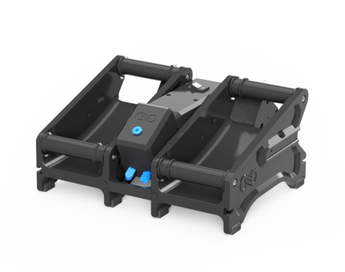
S1 Plus - Automatische Filamentzuführung

$210.99 $179.99 Spare $31.00

    Rollengröße: 1 kg Walzenwangen
    Amazon
    American Express
    Apple Pay
    Diners Club
    Discover
    Google Pay
    JCB
    Maestro
    Mastercard
    PayPal
    Shop Pay
    Union Pay
    Visa
    Produktinformation

    Was ist eine Lieferzeit?

    Eine Lieferzeit ist der Zeitraum zwischen Ihrer Bestellung und dem Versand Ihrer Bestellung. Die Lieferzeiten können je nach Produktverfügbarkeit, Produktionsplänen und Auftragsvolumen variieren.


    Unsere Standardlieferzeiten

    • Artikel auf Lager: Werden in der Regel innerhalb von 2–3 Werktagen versandt.
    • Vorbestellungen oder nachbestellte Artikel: Die Lieferzeiten werden auf der Produktseite angezeigt. Sie sehen den voraussichtlichen Versandzeitrahmen, bevor Sie Ihre Bestellung aufgeben.
    • Sonderanfertigungen oder Spezialbestellungen: Können zusätzliche Bearbeitungszeiten erfordern, die beim Checkout deutlich kommuniziert werden.


    Wann Sie mit Ihrer Lieferung rechnen können

    Sobald Ihre Bestellung versandt wurde, erhalten Sie eine Tracking-Nummer per E-Mail. Die Lieferzeiten hängen dann vom Versanddienstleister und der von Ihnen beim Checkout gewählten Option ab.


    Benötigen Sie ein Update zu Ihrer Bestellung?

    Wenn Sie ein Update zu Ihrem Bestellstatus wünschen, wenden Sie sich bitte über unsere Kontaktseite an uns. Unser Team hilft Ihnen gerne weiter.

    Wir haben ein 30-tägiges Rückgaberecht, d.h. Sie haben 30 Tage nach Erhalt Ihres Artikels Zeit, eine Rücksendung anzufordern.

    Um für eine Rücksendung berechtigt zu sein, muss Ihr Artikel in demselben Zustand sein, in dem Sie ihn erhalten haben, unbeschädigt, einschließlich aller Teile und Zubehör. Sie benötigen auch die Quittung oder den Kaufnachweis, wie z.B. eine Bestellnummer.

    Um eine Rücksendung zu starten, können Sie uns unter contact@infinityflow3d.com kontaktieren.

    Wenn Ihre Rücksendung akzeptiert wird, erhalten Sie Anweisungen, wie und wohin Sie Ihr Paket senden sollen. Artikel, die ohne vorherige Anforderung einer Rücksendung an uns zurückgeschickt werden, werden nicht akzeptiert.

    Sie können uns jederzeit bei Fragen zur Rücksendung unter contact@infinityflow3d.com kontaktieren.


    Inkompatibilität mit 3D-Druckern

    Sollte der Infinity Flow S1 nicht mit Ihrem Drucker kompatibel sein, kontaktieren Sie uns bitte innerhalb von 30 Tagen nach Lieferung unter contact@infinityflow3d.com. Unser Team wird mit Ihnen zusammenarbeiten, um festzustellen, ob das Problem durch Anpassungen oder Support behoben werden kann. Sollten wir keine Lösung anbieten können, können Sie den Artikel gegen Erstattung zurücksenden.


    Schäden und Probleme

    Bitte überprüfen Sie Ihre Bestellung sofort nach Erhalt und kontaktieren Sie uns umgehend, wenn der Artikel defekt oder beschädigt ist oder wenn Sie den falschen Artikel erhalten haben, damit wir das Problem bewerten und beheben können. In den meisten Fällen werden wir bei beschädigten Produkten einen Ersatz oder Umtausch arrangieren, anstatt eine vollständige Rücksendung vorzunehmen.


    Vom Umtausch ausgeschlossene Artikel

    Wir akzeptieren keine Rücksendungen für:

    • Geöffnete oder benutzte Artikel, die nicht defekt oder inkompatibel sind
    • Geschenkkarten
    • Artikel, die als endgültiger Verkauf gekennzeichnet sind
    • Artikel, die durch unsachgemäße Verwendung, Modifikation oder falsche Installation beschädigt wurden


    Rückerstattungen

    Wir benachrichtigen Sie, sobald wir Ihre Rücksendung erhalten und geprüft haben, und teilen Ihnen mit, ob die Rückerstattung genehmigt wurde oder nicht. Bei Genehmigung erhalten Sie innerhalb von 10 Werktagen automatisch eine Rückerstattung auf Ihre ursprüngliche Zahlungsmethode. Bitte beachten Sie, dass es einige Zeit dauern kann, bis Ihre Bank oder Ihr Kreditkartenunternehmen die Rückerstattung bearbeitet und verbucht hat. 
    Wenn mehr als 15 Werktage vergangen sind, seit wir Ihre Rücksendung genehmigt haben, kontaktieren Sie uns bitte unter contact@infinityflow3d.com.

    • ⚠️ NICHT ZUR VERWENDUNG MIT TPU (oder anderen flexiblen Filamenten)
    • ℹ️ Einige PETG-Filamente können bei Verwendung mit dem S1+ ein quietschendes Geräusch verursachen.

    • Modell: S1-PLUS
    • Drahtlose Konnektivität: Wi-Fi 2.4 GHz (5GHz nicht unterstützt)
    • Stromversorgung:12V DC, 2A - 5.5 x 2.5 mm Hohlstecker (Netzteil im Lieferumfang enthalten)
    • Maximale Spulenbreite: 1kg: 73mm, 3kg: 125mm, 5kg: 173mm
    • Maximale Extrudergeschwindigkeit: 40mm/s
    • Für Filamentdurchmesser: 1.75mm (2.85mm nicht unterstützt)
    • Materialien: Hauptgehäuserahmen: Eloxiertes Aluminium, Hauptgehäusekomponenten: ASA, Rollenseiten: PLA+
    • Benutzerhandbuch & Sicherheitsinformationen: Klicken Sie hier, um das PDF herunterzuladen

    Verpackungsmaße:

    • Ohne Seiten: 11 x 6 x 5.5 Zoll - 2.2 lbs
    • 1 kg: 11 x 11 x 5.5 Zoll - 3.8 lbs
    • 3 kg: 15.5 x 11 x 5.5 Zoll - 3.8 lbs
    • 5 kg: 19.25 x 11 x 5.5 Zoll - 3.8 lbs

    FREE SHIPPING to lower 48 States for orders over $100.

    Order Tracking:

    • Track your order status anytime through your account.
    • Receive tracking information and email updates throughout each stage of the process.
    • S1 Plus (vollständig montiert)
    • 1 Meter PTFE Bowdenzug (2,5 mm Innendurchmesser, 4,0 mm Außendurchmesser)
    • 12V, 2A DC Netzteil (5,5 x 2,5 mm Hohlstecker)

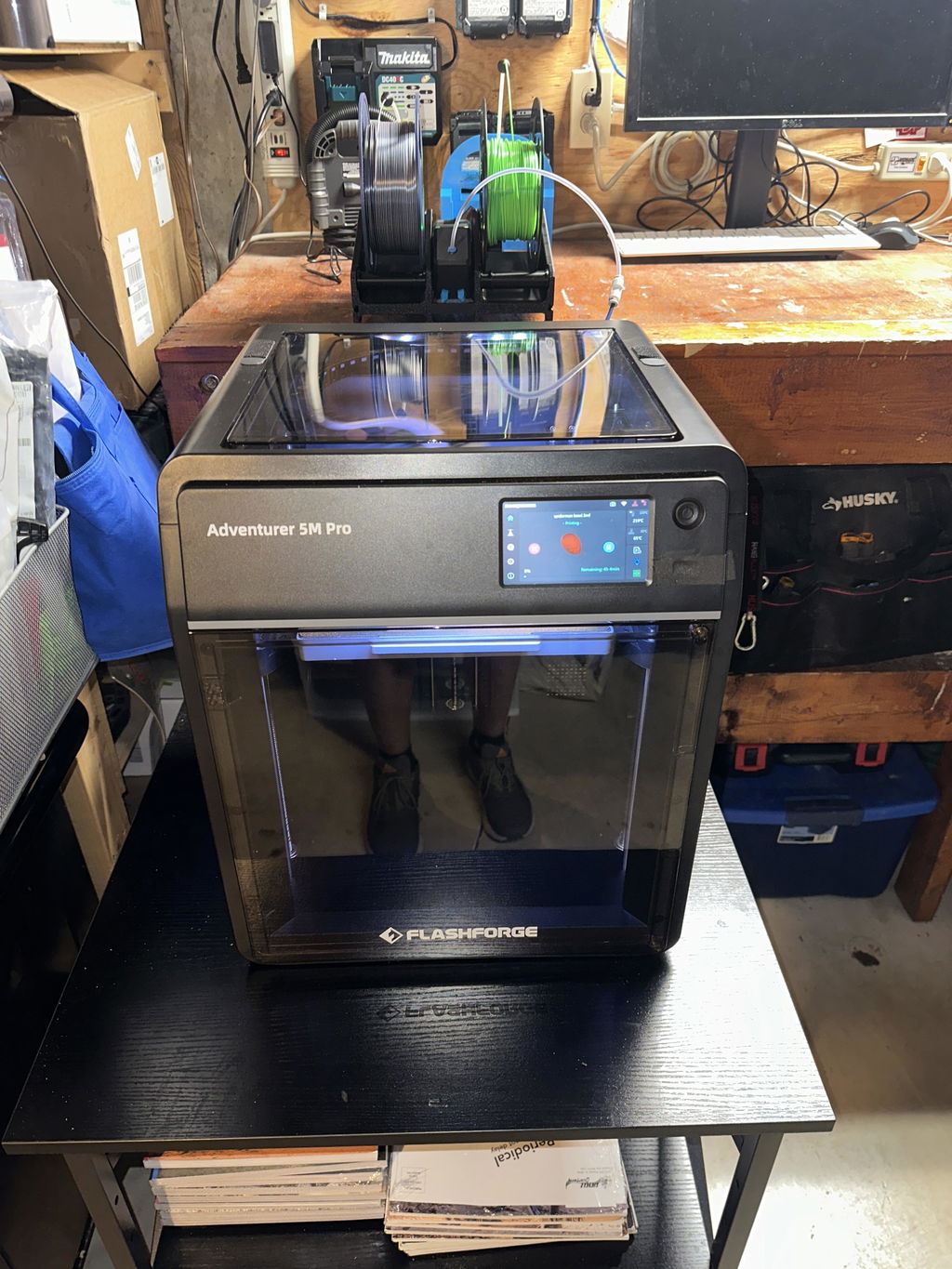
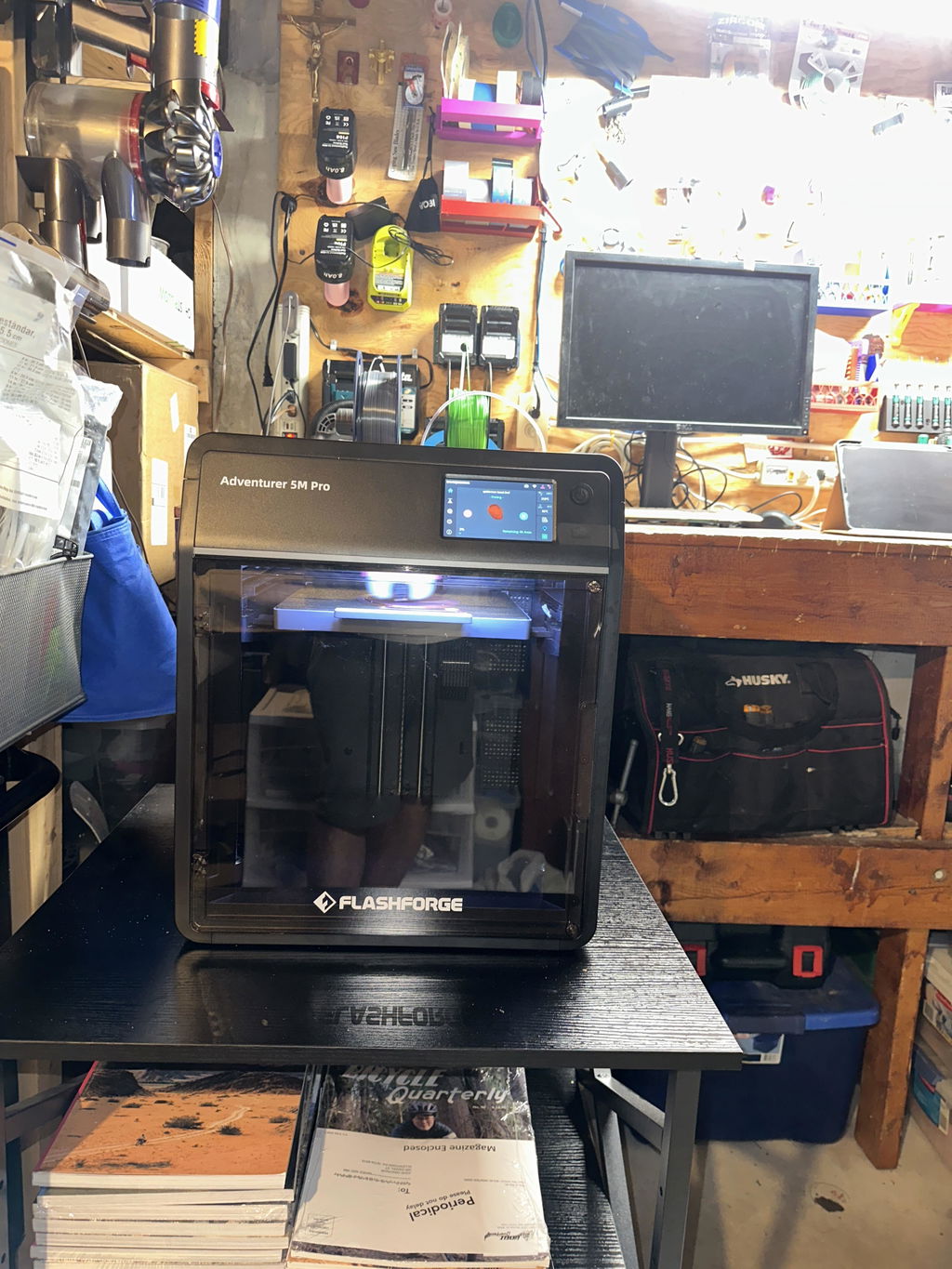
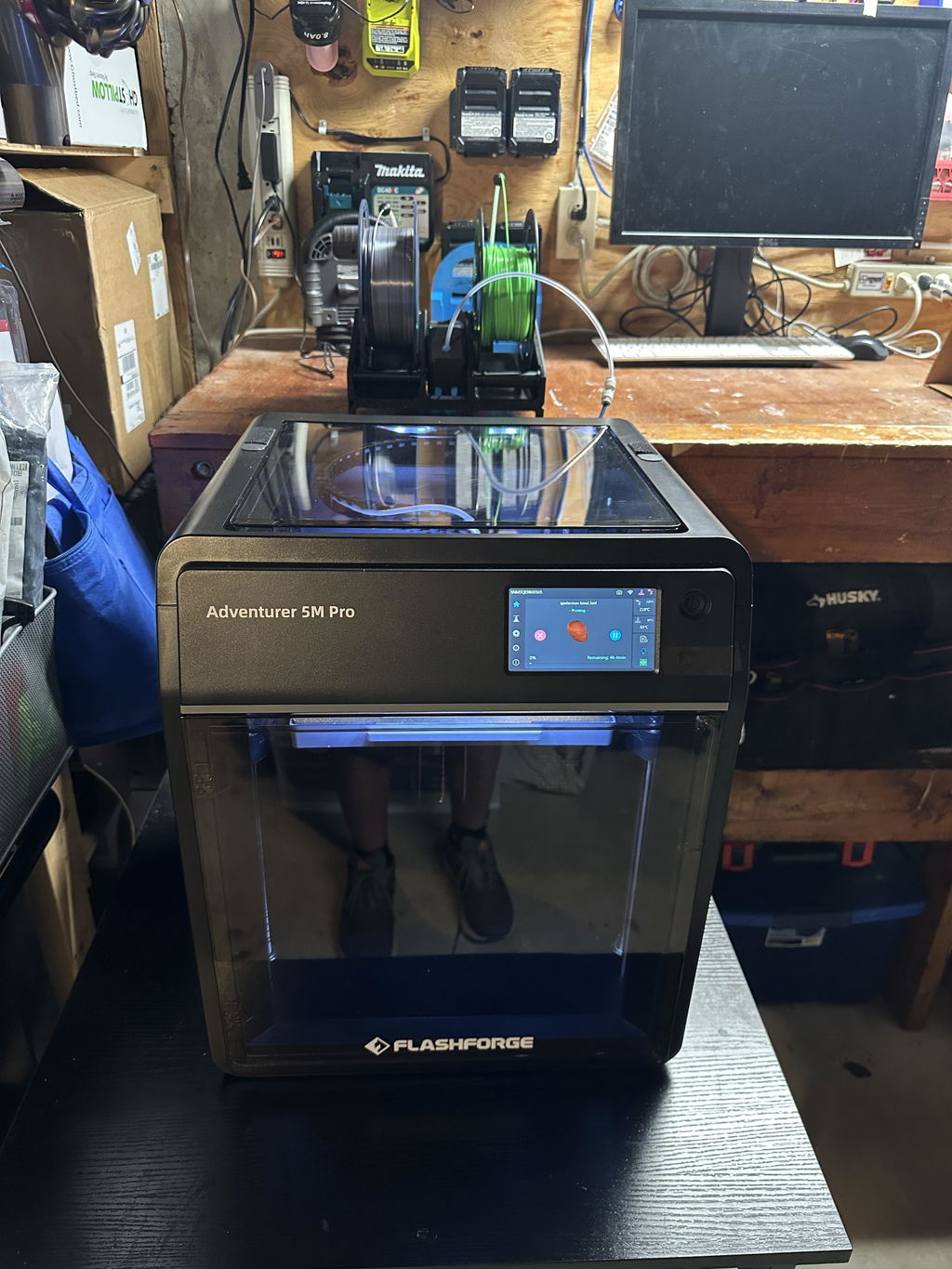
    Funktioniert mit jedem 3D-Drucker

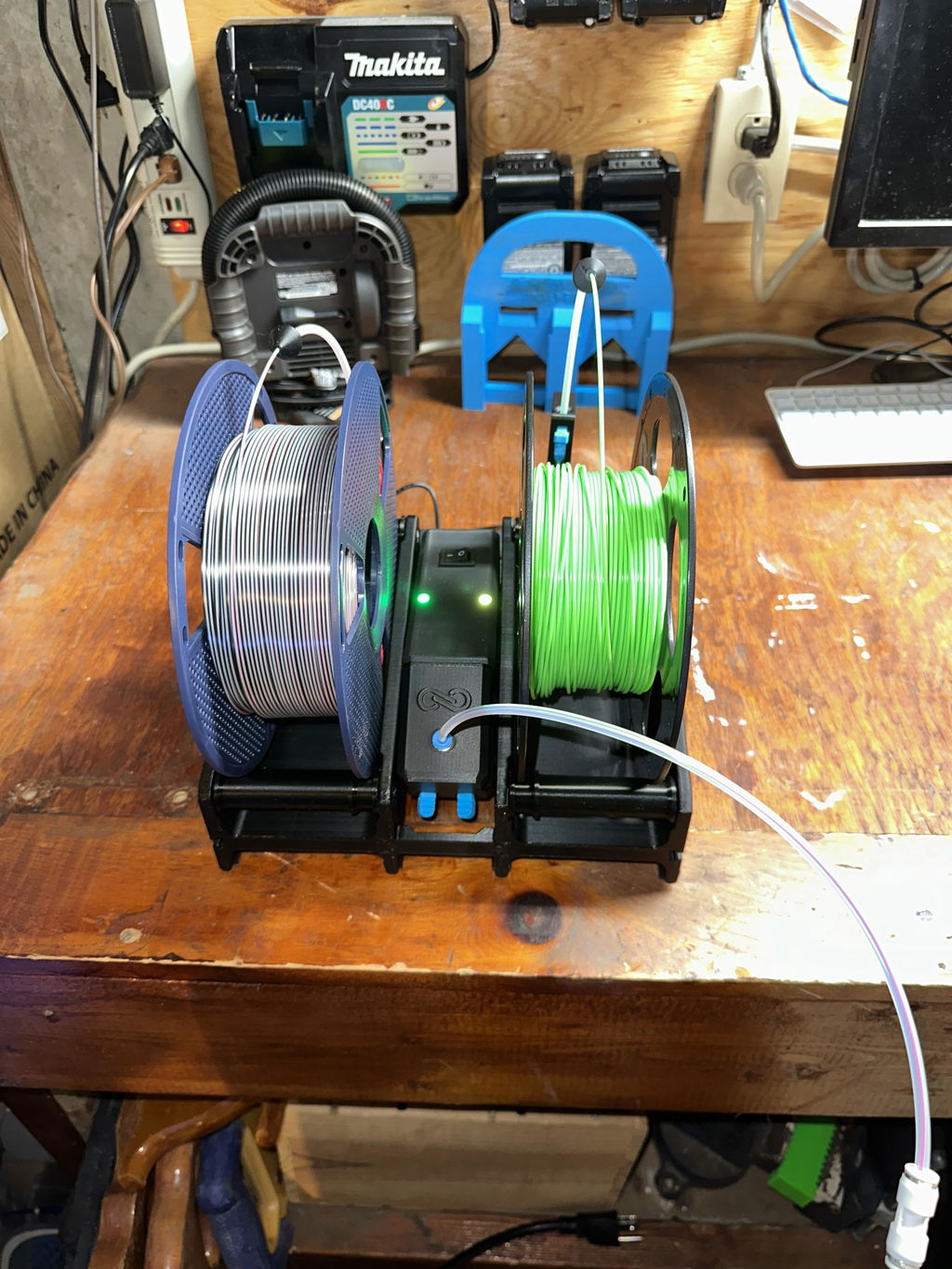
    Nahtloses automatisches Nachladen von Filamenten

    Da der S1+ Ihren Druck beim Nachladen nicht anhält, gibt es keinen Übergangspunkt.

    Ihre Ausdrucke werden perfekt, als wäre nichts passiert. Auch wenn sie im Spiralvasenmodus gesliced wurden.

    Nachfüllen beim Drucken

    Der S1 ermöglicht das live Laden von Filament, d.h. Sie können Filament während des Drucks nachladen, um die Produktivität Ihres Druckers zu maximieren!

    Three S1 plus sizes with max spool widths displayed on a white background.

    Für alle Spulengrößen

    Der S1 Plus ist in verschiedenen Rollengrößen erhältlich, um jede Filament-Spulengröße zu handhaben.

    Größere Rollen können auch mit kleineren Spulen verwendet werden, sodass Sie nicht für jede Rollengröße ein anderes Gerät benötigen.

    Nie wieder Filamentmangel

    Automatisches Filament-Nachladen für jeden 3D-Drucker

    Blue icon of a globe with circular arrows around it

    Universelle Kompatibilität

    Alles, was Sie benötigen, ist ein Adapter, um einen Bowdenzug mit dem Einlass des Extruders Ihres Druckers zu verbinden, falls Ihr Drucker noch keinen hat.

    A blue stopwatch icon

    2 Minuten Einrichtung

    Zusammenbau nicht mehr nötig. Schließen Sie einfach den mitgelieferten Bowdenzug an Ihren Extruder an und starten Sie den Druck.

    Blue bar chart with four bars of varying heights on a white background

    Intelligente Filament-Nachverfolgung

    Überwachen und verwalten Sie Ihren S1+ von überall aus mit unserer cloudbasierten App. Verfolgen Sie Filamentstände und -verbrauch und verwalten Sie Ihr Inventar.

    So funktioniert es

    Der S1 Plus ist für die nahtlose Filamentübergabe konzipiert und lädt die nächste Spule automatisch, sobald die erste aufgebraucht ist.

    Universelle Kompatibilität

    Es sind keine Firmware-Modifikationen erforderlich, daher ist die Einrichtung einfach und unkompliziert.

    Sie benötigen lediglich einen Adapter, um ein Bowden-Rohr an den Einlass des Extruders Ihres Druckers anzuschließen, falls Ihr Drucker noch keinen hat.

    Siehe Beispiele kompatibler Drucker
    Comparison of a previous version and S1 Plus models with features listed.

    Was gibt's Neues

    DerS1 Plus ist ein komplettes Upgrade mit stärkeren ASA-Komponenten für verbesserte Haltbarkeit,Wi-Fi-Konnektivität mit der S1 Plus App und einer einstellbaren Vorspannkraft für bessere Kompatibilität mit verschiedenen Druckern und Materialien.

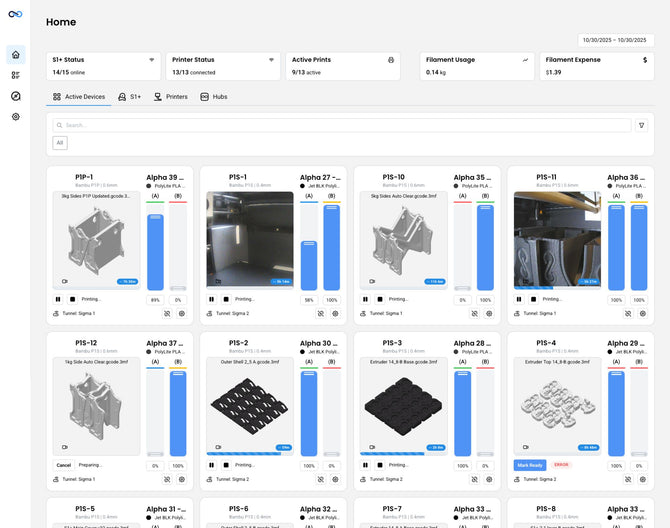
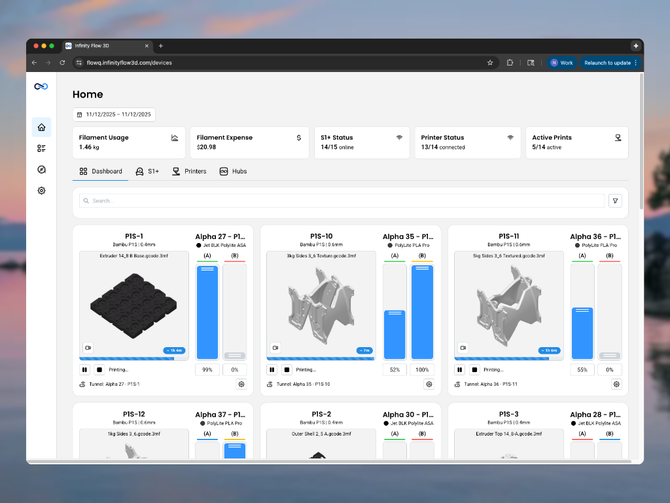
    The infinity flow S1 plus automatic filament reloader in front of the user interface of FlowQ, a 3d printer fleet management software

    Intelligente Filament-Verfolgung

    • Überwachen und verwalten Sie Ihre S1+-Einheiten von überall aus
    • Filamentstand & Verbrauchsverfolgung
    • Filamentbestandsverwaltung
    • Benachrichtigungen bei niedrigem Filamentstand
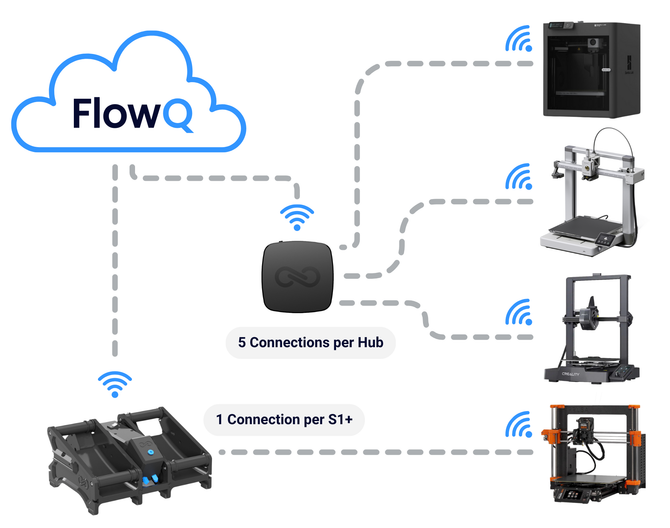
    Diagram showing a cloud with 'FlowQ' and connected 3D printers, indicating network connectivity.

    Funktioniert als FlowQ Tunnel

    Der S1+ fungiert als sicherer Tunnel, der Drucker in Ihrem lokalen WLAN mit der FlowQ-Cloud verbindet und Ihnen Folgendes ermöglicht:

    • Fernüberwachung und -steuerung des Druckvorgangs
    • Verwaltung der Druckwarteschlange
    • Automatisierung und Druckschleifen
    Mehr erfahren

    Häufig gestellte Fragen

    Antworten auf einige der häufigsten Fragen, die wir bekommen:

    Can the S1 Plus be used inside a heated dry box or filament dryer?

    While many of the S1 Plus components have been upgraded to ASA for better resistance to heat and warping, placing the entire unit inside a heated drybox is not recommended. Excessive heat can still damage the electronics inside the S1 Plus, which could lead to failures over time.

    A much more reliable setup is to keep the S1 Plus outside the drybox and simply route a filament tube from the drybox outlet to the S1 Plus inlet. This provides the same benefit of keeping filament dry and conditioned while protecting the S1 Plus from unnecessary heat exposure.

    In short: the S1 Plus should not be placed directly in a heated drybox. Instead, connect it externally with a tube for a safer, long-term solution.

    How does the filament tracking work?

    The S1 Plus integrates with the S1 Plus web app to give you full visibility into your filament usage and inventory. Once connected to Wi-Fi, the S1 communicates with the cloud so you can monitor your setup from anywhere in the world, not just your local network.

    Key Features:

    • Usage Tracking – The S1 measures exactly how much filament has run through it and reports this to the cloud, giving you precise usage history over time.

    • Inventory Management – The app supports FIFO (First-In, First-Out) inventory tracking, so your filament stock stays organized. You can log new spools, enter orders, and adjust inventory records to keep data accurate.

    • Profiles & Grouping – Create filament profiles for different materials and group multiple S1 units together. This gives you segmented tracking by material type or by groups of printers—helping you better understand how different parts of your farm are performing.

    • Low Filament Alerts – Receive notifications when filament is running low so you can swap spools before a job fails.

    By combining precise usage data, flexible grouping, and cloud-based inventory tools, the S1 Plus makes it easy to manage everything from single-spool tracking to farm-wide material analytics.

    What is the difference between the S1 Plus and the Regular S1?

    The S1 Plus builds on the original S1 with several upgrades designed for improved reliability, durability, and ease of use.

    • Reliability Upgrades – The S1 Plus incorporates a variety of hardware improvements that make it more consistent in demanding print farm environments.

    • Stronger Materials – Its housing is printed from durable ASA plastic, offering better heat and impact resistance than the standard S1.

    • Wi-Fi Connectivity – The S1 Plus connects to the S1 Plus app, allowing you to track filament levels, monitor usage, and receive alerts when filament is running low.

    • Adjustable Preload Force – Through the app, you can fine-tune the filament preload force. This makes the S1 Plus easier to set up across a wider range of printers and filament types.

    In short, the S1 Plus offers added durability, smarter connectivity, and greater flexibility—making it the preferred choice for users who want the most reliable, adaptable version of the Infinity Flow S1 system.

    How can I convert my S1 to an S1 Plus?

    While the S1 and S1 Plus may look similar, they are almost completely different internally. The S1 Plus was redesigned from the ground up with upgraded components, stronger materials, and improved electronics for better long-term reliability. Because of this, it does not make sense to replace every part of the S1 in a conversion kit.

    Instead, early adopters have two upgrade options:

    1. S1 Upgrade Kit – Improves reliability on the original S1 by replacing the gearboxes and filament junction with the upgraded ASA versions used in the S1 Plus. This increases durability and wear resistance but does not add Wi-Fi, app connectivity, or adjustable preload force.
    2. Early Adopter Discount – As a thank-you, original S1 customers can upgrade to the S1 Plus with an extra 10% off using the code PLUS-UPGRADE. This stacks with launch day discounts, is valid for one order (with as many S1 Pluses as you want), and must be placed using the same email tied to your original S1 purchase. The discount is valid through August 31, 2025.
    Is there a discount for users who bought the older version of the S1?

    Yes! As a thank-you to our early adopters, anyone who previously purchased an S1 (through Kickstarter or our website) can claim an exclusive discount when upgrading to the S1 Plus.

    • Use the code PLUS-UPGRADE at checkout to get an extra 10% off.
    • This discount stacks with launch day pricing, giving you even more savings.
    • The code is valid for one order, but you can include as many S1 Pluses as you’d like in that order.
    • Orders must be placed using the same email address you used for your original S1 purchase.
    • The discount expires on August 31, 2025.
    What material is the S1 Plus made out of?

    The original S1 was produced entirely from high-performance PLA, chosen for its strength and dimensional stability.

    The S1 Plus improves on this by printing all of its critical components (gearboxes, filament junction, etc.) out of ASA, a material known for its higher durability, heat resistance, and long-term reliability compared to PLA. This upgrade makes the S1 Plus more robust in demanding environments such as print farms.

    The roller sides of the S1 Plus are still made from high-performance PLA, balancing strength with reduced weight and easier replacement when needed.

    Will the filament transition cause defects in my part?

    The S1 Plus is designed to make filament transitions seamless, minimizing any potential defects. The filament is fed smoothly to ensure the quality of your print is maintained.

    Does my printer need to pause during filament changes?

    No, the S1 Plus automatically switches filaments without requiring the printer to pause. It ensures a smooth transition between spools to keep your prints going.

    Will the S1 work with my printer?

    Yes — the S1 Plus is compatible with the vast majority of FDM 3D printers that use 1.75 mm filament.

    • Broad Compatibility – Since the S1 Plus relies on filament tension and preload rather than direct firmware integration, it works with most printers out-of-the-box.
    • Adapter Support – Many popular printers already have community-designed mounting adapters available online, which you can download and 3D print to attach the S1 Plus securely to your setup.
    • Flexible Setup – Even if a specific adapter doesn’t exist for your printer, the modular design of the S1 Plus makes it easy to create or customize a simple adapter to fit your machine.

    In short, if your printer runs on 1.75 mm filament, there’s a very high chance the S1 Plus will integrate smoothly with your setup.

    What filament types does the S1 Plus work with?

    Yes, the S1 Plus supports standard FDM filament types such as PLA, ABS, PETG, and others. Flexible filaments like TPU are not guaranteed to work with the S1.

    Does the S1 Plus work for multi-color printing?

    The S1 Plus is not designed for color-changing or multi-material setups but focuses on automatic filament switching, ideal for extended prints with single filament types.

    Can I make my own Adapter?

    Absolutely! You can download and print adapters from various online sources to fit your specific printer. 3D printed adapters work well with the S1 Plus.

    How does the S1 Plus prevent print failures?

    The S1 Plus prevents print fails by automatically switching to a new spool when the current one runs out, so there’s no need to pause the print or intervene manually.

    How does the S1 Plus prevent wasted filament?

    The S1 Plus allows you to use every last bit of filament on your spools when automatically switching to the next spool, eliminating waste.

    Does the S1 Plus work for Bowden and direct drive extruders?

    Yes, the S1 is compatible with both Bowden and Direct Drive extruders. Adapters may be required for different setups, and we provide guidelines on how to connect the S1 to your printer.

    How does the S1 Plus handle retractions?

    The S1 Plus manages retractions by applying a constant forward preload force on the filament during printing.

    • When the preload force decreases, the S1 Plus recognizes that the printer is extruding filament and pushes it forward smoothly.
    • When the preload force increases, the S1 Plus interprets this as a retraction command and automatically backs the filament up.

    Unlike the original S1, which only had a fixed preload force, the S1 Plus allows users to adjust the preload level through the app. This makes it easy to fine-tune performance for different printers, materials, and retraction settings.

    If you previously experienced retraction issues with the original S1, you can now simply reduce the preload level in the app to improve compatibility and reliability with your setup.

    How does the S1 Plus act as a filament buffer?

    The S1 Plus acts as a filament buffer by applying a constant forward preload force on the filament and continuously tracking the 3D printer’s extruder.

    • When the printer pulls filament, the S1 Plus automatically adjusts, keeping the filament under light, steady tension.
    • This buffering effect smooths out fluctuations in filament feeding, reducing the sudden load changes that normally happen when a printer pulls directly from a heavy spool.
    • Because of this preload system, the printer requires less effort to pull filament, which can help prevent under-extrusion issues—especially on setups with long filament paths, Bowden tubes, or heavy spools.

    In essence, the S1 Plus works as a smart filament buffer, delivering consistent forward force so your printer extruder can focus on precise extrusion rather than fighting against spool drag or uneven feeding.